@commandkit/devtools
The @commandkit/devtools plugin provides a comprehensive set of
development tools and utilities designed to enhance your CommandKit
development experience. It includes features like command inspection,
performance monitoring, debugging tools, and a web-based interface for
managing your Discord bot during development.
This plugin is deprecated.
Features
- Command Inspection: View and analyze all registered commands in your bot
- Performance Monitoring: Track command execution times and performance metrics
- Debugging Tools: Enhanced logging and debugging capabilities
- Web Interface: Browser-based dashboard for managing your bot
- Real-time Updates: Live updates of bot status and metrics
- Development Utilities: Additional tools to streamline development workflow
Installation
Install the devtools plugin using your preferred package manager:
- npm
- Yarn
- pnpm
- Bun
npm install @commandkit/devtools
yarn add @commandkit/devtools
pnpm add @commandkit/devtools
bun add @commandkit/devtools
Setup
Add the devtools plugin to your CommandKit configuration:
import { defineConfig } from 'commandkit';
import { devtools } from '@commandkit/devtools';

export default defineConfig({
  plugins: [devtools()],
});
That's it! The devtools plugin will automatically start when you run your application in development mode.
Using the devtools
Once the plugin is installed and configured, the devtools interface
will be available at http://localhost:4356 when you start your
application with commandkit dev.
npx commandkit dev
The web interface provides access to all devtools features and allows you to:
- Monitor your bot's status and performance
- Inspect registered commands and their configurations
- View real-time logs and debug information
- Access development utilities and tools
Configuration options
The devtools plugin accepts several configuration options to customize its behavior:
import { defineConfig } from 'commandkit';
import { devtools } from '@commandkit/devtools';

export default defineConfig({
  plugins: [
    devtools({
      // Custom port for the devtools interface
      port: 4356,

      // Enable or disable specific features
      features: {
        commandInspection: true,
        performanceMonitoring: true,
        debugging: true,
      },

      // Additional configuration options
      enableLogging: true,
    }),
  ],
});
Configuration properties
port(number): The port number for the devtools web interface (default:4356)features(object): Enable or disable specific devtools featuresenableLogging(boolean): Enable enhanced logging capabilities
Development workflow
The devtools plugin integrates seamlessly with CommandKit's development workflow:
- Start Development: Run
commandkit devto start your bot in development mode - Access Devtools: Open
http://localhost:4356in your browser - Monitor & Debug: Use the web interface to monitor your bot and debug issues
- Hot Reload: Make changes to your code and see updates in real-time
The devtools plugin is designed for development use only and should not be included in production builds. Consider using environment-based configuration to conditionally include the plugin:
import { defineConfig } from 'commandkit';
import { devtools } from '@commandkit/devtools';

export default defineConfig({
  plugins: [
    // Only include devtools in development
    ...(process.env.NODE_ENV === 'development' ? [devtools()] : []),
  ],
});
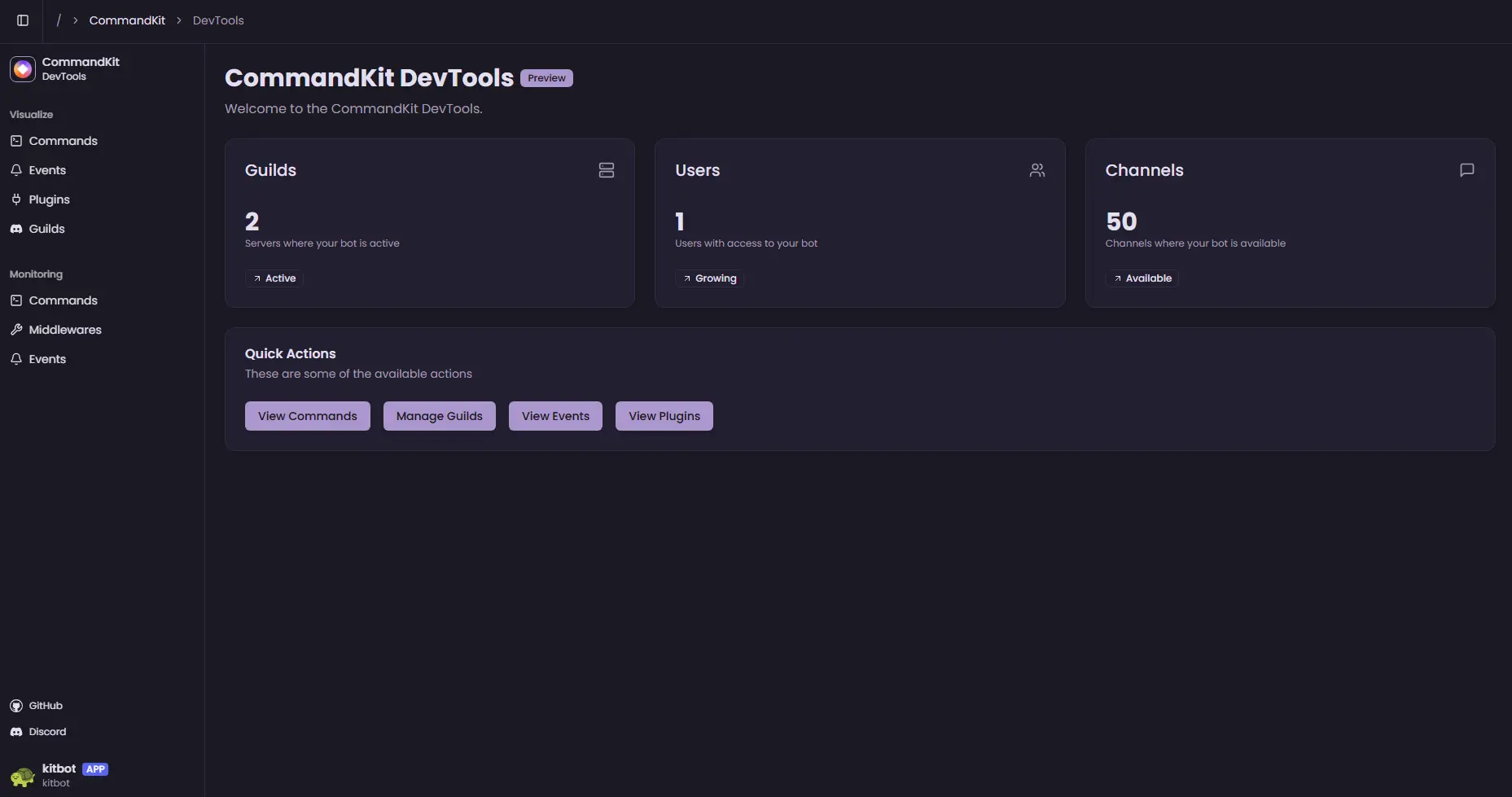
Preview
The devtools interface provides a modern, intuitive dashboard for managing your Discord bot during development:
Troubleshooting
Port already in use
If port 4356 is already in use, you can specify a different port in
the configuration:
devtools({ port: 4357 });
Interface not loading
Ensure that:
- The devtools plugin is properly configured
- Your application is running in development mode
- No firewall is blocking the specified port
- You're accessing the correct URL (
http://localhost:4356)
Performance issues
If you experience performance issues:
- Disable unnecessary features in the configuration
- Reduce logging verbosity
- Consider using a different port
Feedback and contributions
As this plugin is in early development, your feedback is valuable for improving the devtools experience. Please report issues, suggest features, or contribute to the development through: